STYLE
FORECAST
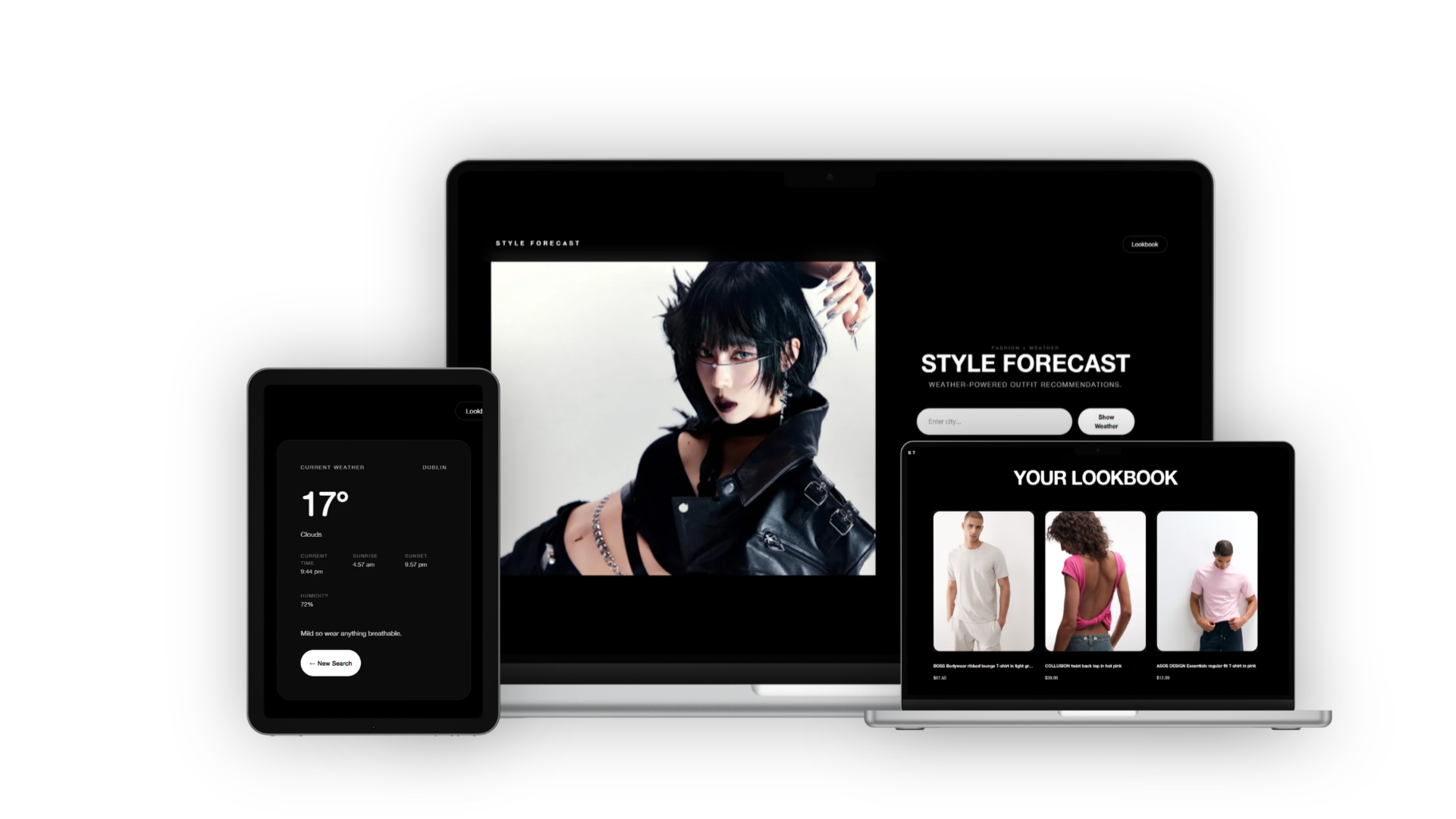
A weather-powered fashion discovery platform that combines real-time weather conditions with curated clothing recommendations, helping users plan outfits and build personalised style inspiration collections.
PROJECT TYPE
Individual Academic Project
TIMELINE
2 Months
October – November 2025
TEAM
Individual
MY ROLE
UX Design · UI Design · Frontend Development · API Integration
TOOLS
Blazor · C# · ASP.NET Core · HTML · CSS · Visual Studio
APIS
OpenWeather API · ASOS API (RapidAPI)
Solving real-life problems
Style Forecast is a web application I built to explore how weather data can be translated into everyday outfit decisions. The idea was to move beyond forecasts as raw information and instead turn them into something more practical and visually guided for users choosing what to wear.
The project was developed over a 2-month period (October–November 2025) as a full-stack application using ASP.NET Core and Blazor Server. It combines live weather data with curated fashion recommendations to create a more intuitive planning experience around daily dressing decisions.
By integrating external APIs and designing a clean, editorial-style interface, the system reframes weather as styling input rather than isolated data points.
Weather apps show the forecast, but not what it means for your day.
Most weather apps are accurate, but they stop at information.
I found myself constantly checking forecasts throughout the day especially in unpredictable weather, but still having to make a separate judgement call about what to wear. The data is there, working with items such as temperature, conditions, hourly changes however it doesn’t help us translate directly into action.
That creates a small but repeated gap in everyday use. For example, when I wake up I always check the weather, interpret it for myself and then switch what I had in mind to decide on clothing according to what will best fit the day. On days where conditions change quickly, that process becomes repetitive and slightly inefficient.
The problem wasn’t lack of information but is a lack of interpretation.
This project started from that gap: exploring how weather data could be reframed into something that directly supports outfit decisions overall reducing the mental step between “what’s it like outside?” and “what do I wear?”
Weather is not data - it is daily context.
I started noticing that people do not really think about weather in numbers or charts. It is usually more instinctive than that with things like "it feels cold today, I will need layers" or "this looks like a coat day."
That made me rethink what weather data is actually used for. It is not just about reporting conditions, it is about helping people decide what their day looks like in practice, especially when it comes to getting dressed.
The idea for Style Forecast came from that gap between data and interpretation, taking structured weather information and turning it into something closer to how people already think about clothing choices.
Making the system simple instead of overwhelming
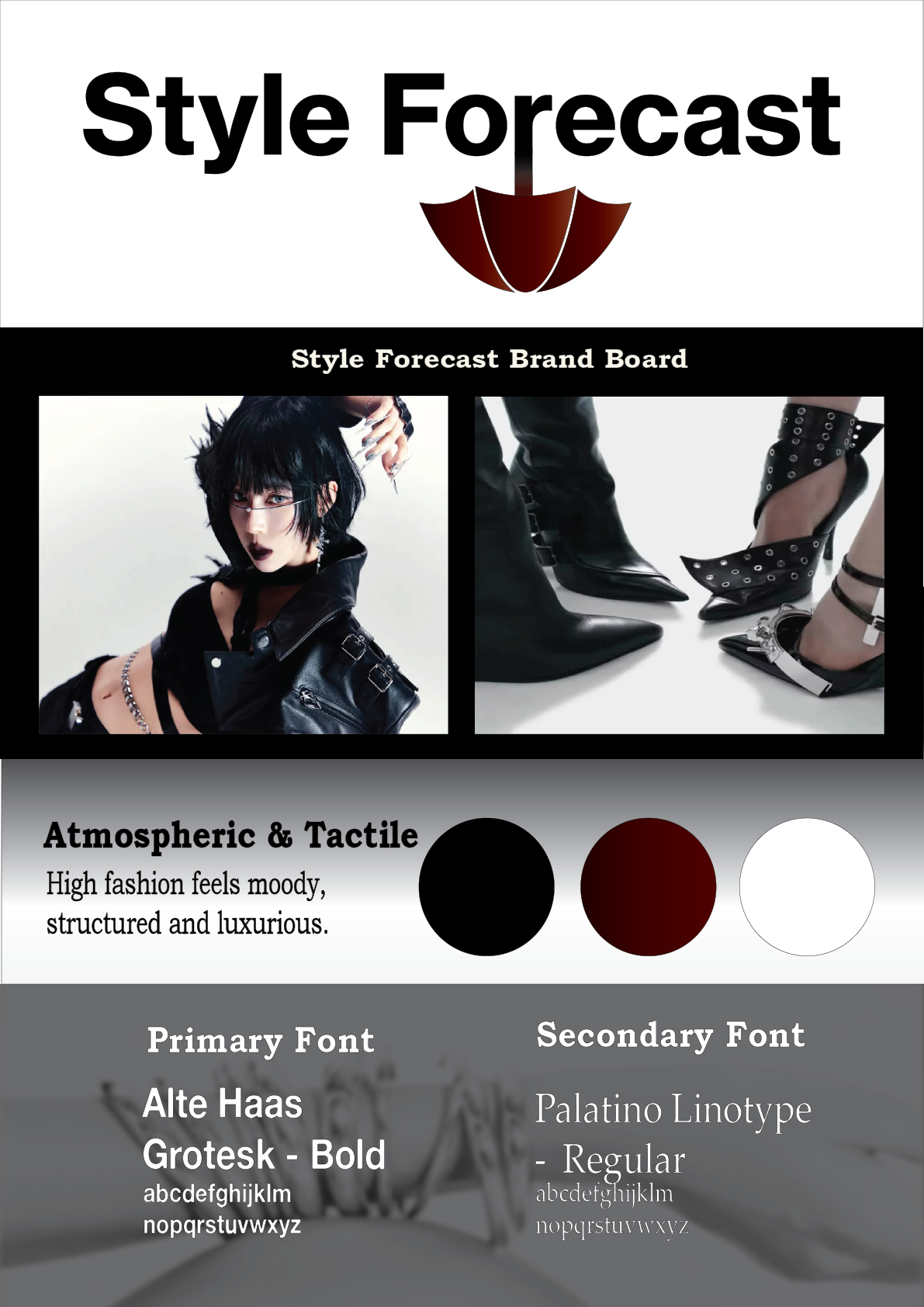
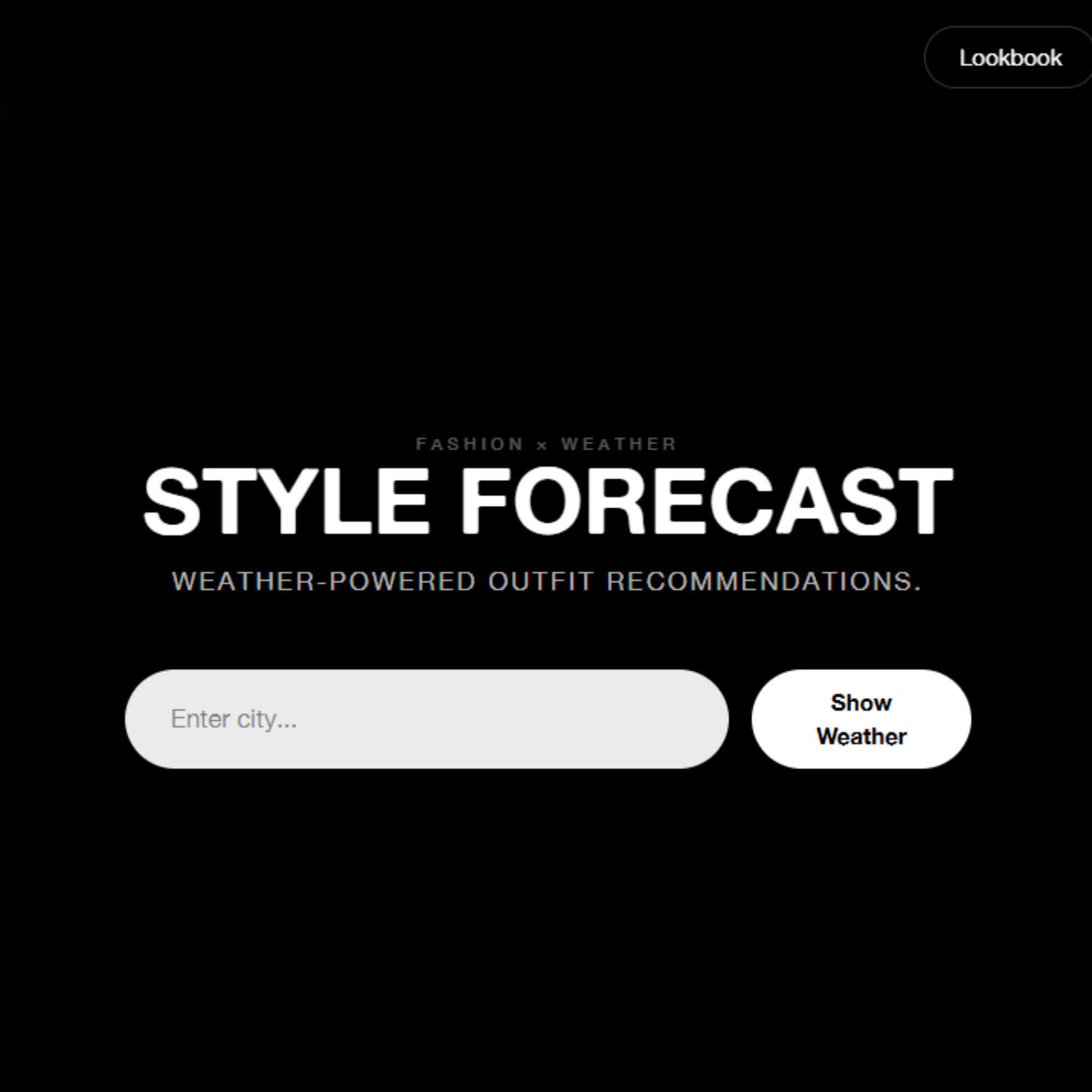
The interface was designed to feel closer to a curated fashion editorial than a utility based dashboard. The goal was to keep the experience calm and visually guided, so recommendations feel like inspiration rather than something generated automatically. This decision was made primarily because I feel the interest for this application is more niche and thus I wanted to cater this design choice to its intended audience, which is fashion-enthusiasts.
Each weather result follows a simple structure such as temperature, mood, outfit direction and then product selection.
The design choices focused on keeping things visually clear and easy to process. This included reducing visual clutter, using larger imagery to support styling decisions and creating a soft hierarchy between weather data and fashion content.
Live weather search experience
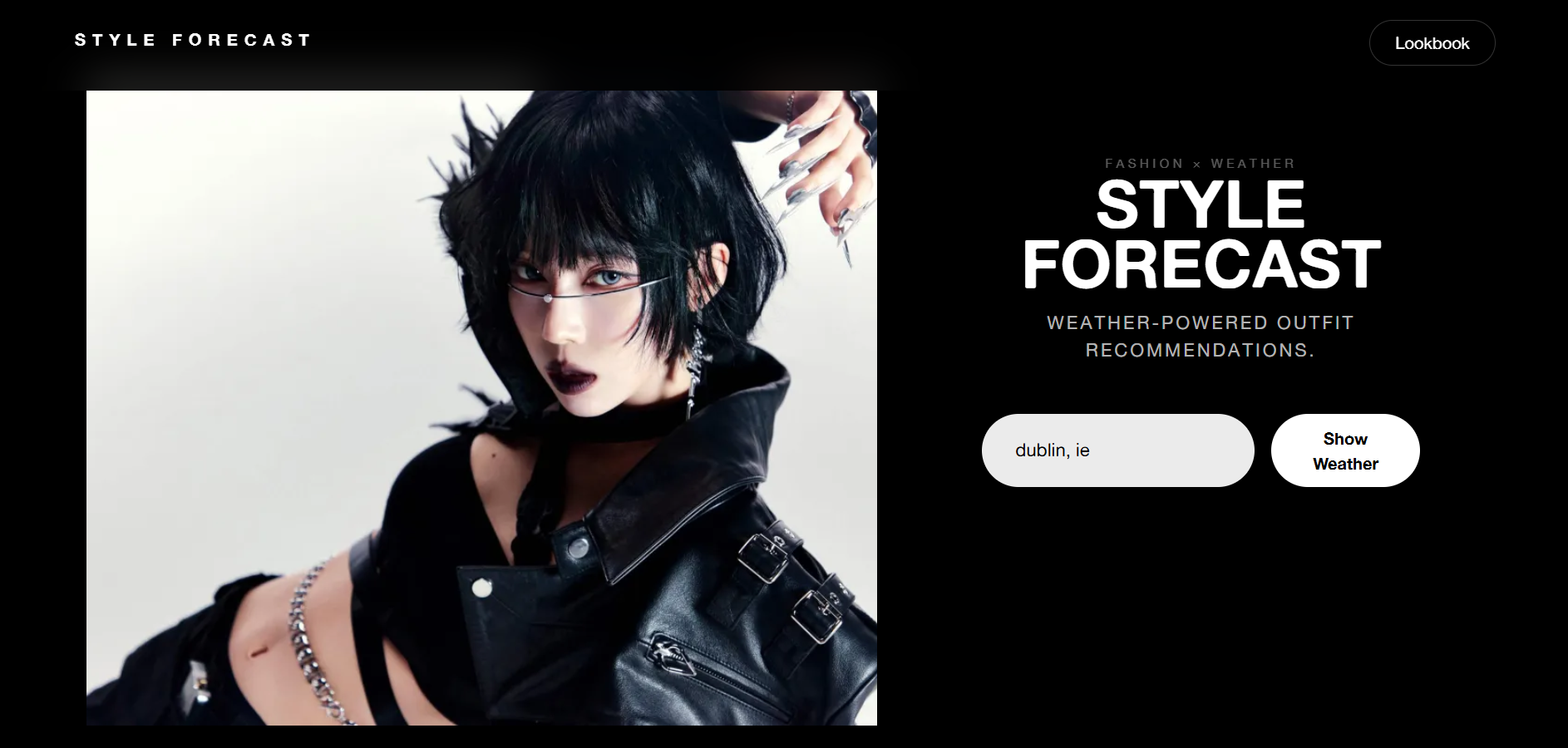
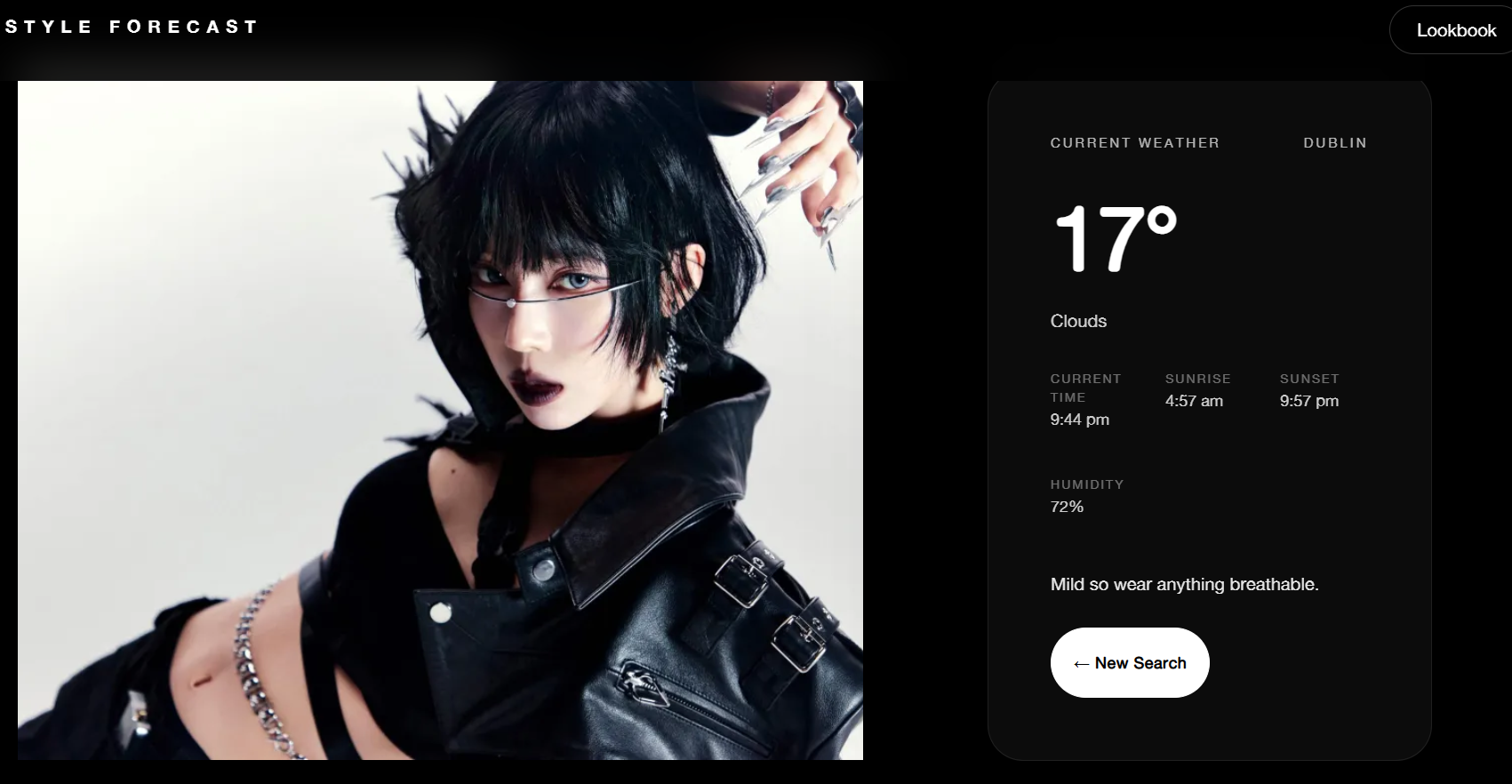
The core of the application starts with a simple location search. Users can enter any city to retrieve real-time weather data, which becomes the foundation for all styling recommendations.
Instead of treating weather as standalone information, it is immediately processed into outfit direction, giving users an instant sense of what to wear based on current conditions.
Filtering by style preference
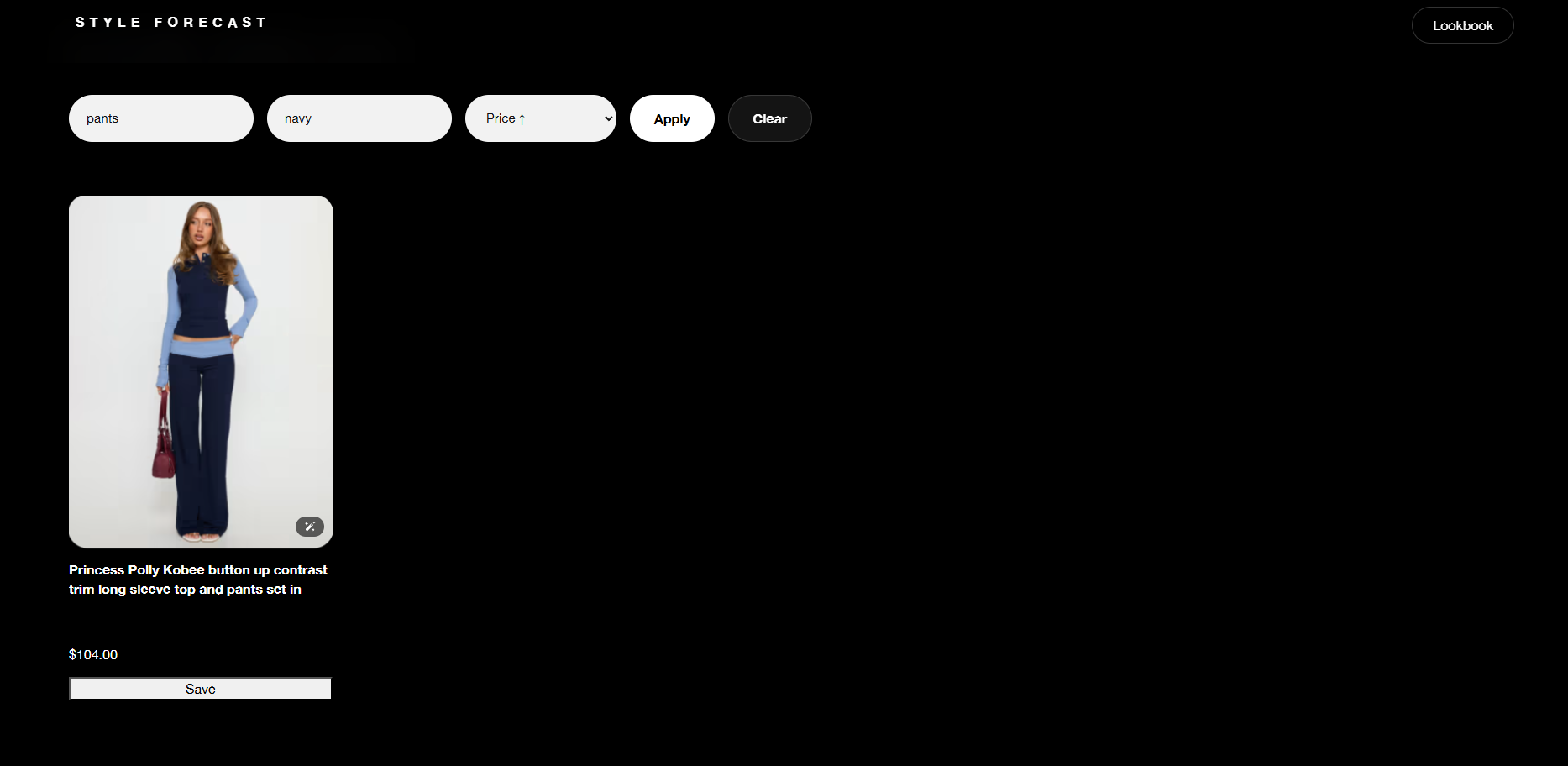
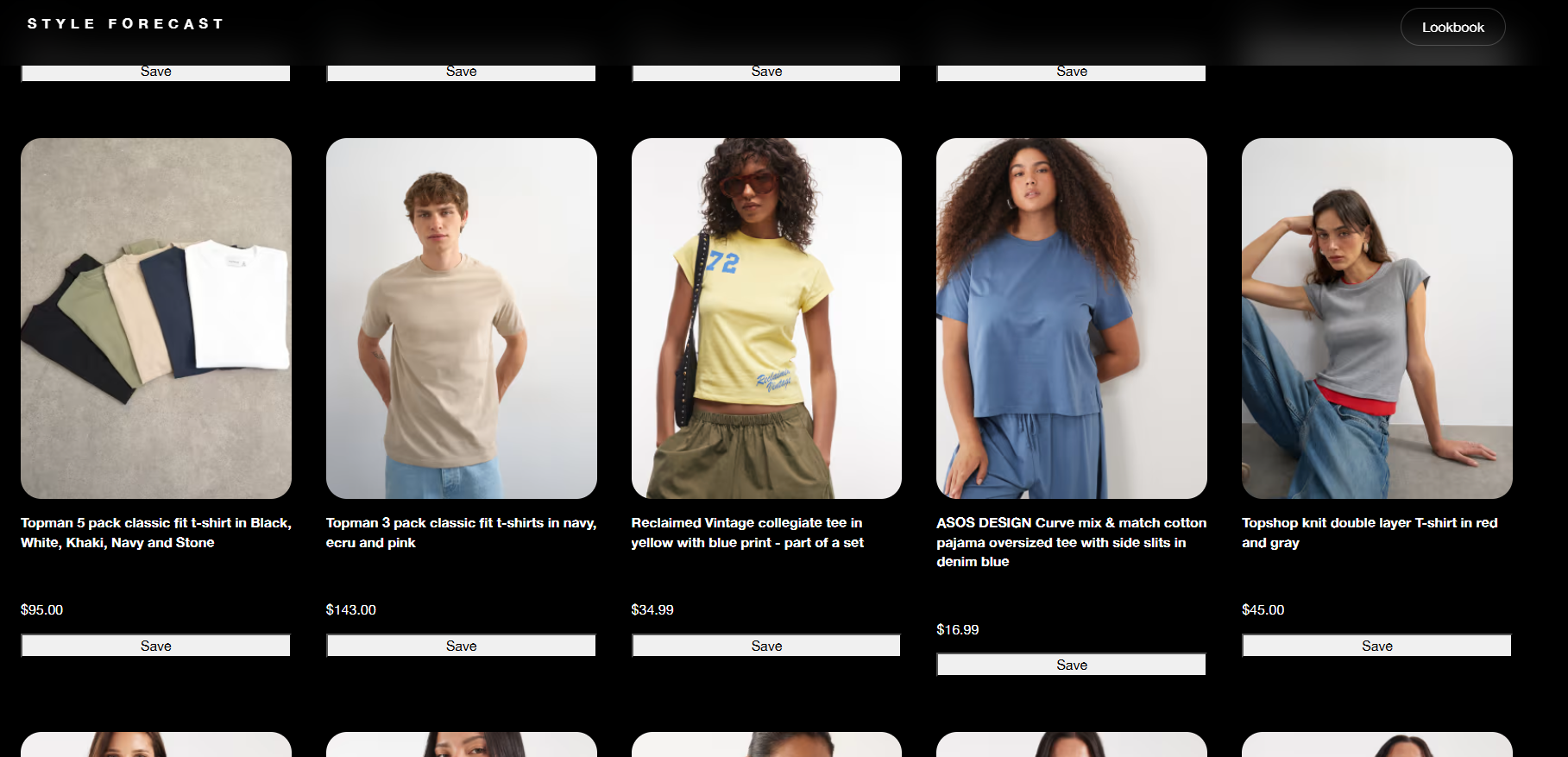
Users can refine recommendations using filters such as gender, colour and item type. This allows the system to move beyond generic suggestions and instead reflect more personal styling preferences.
The filtering system dynamically updates results based on API data, helping users quickly narrow down outfits that match both weather conditions and individual taste.
Personal lookbook for saved outfits
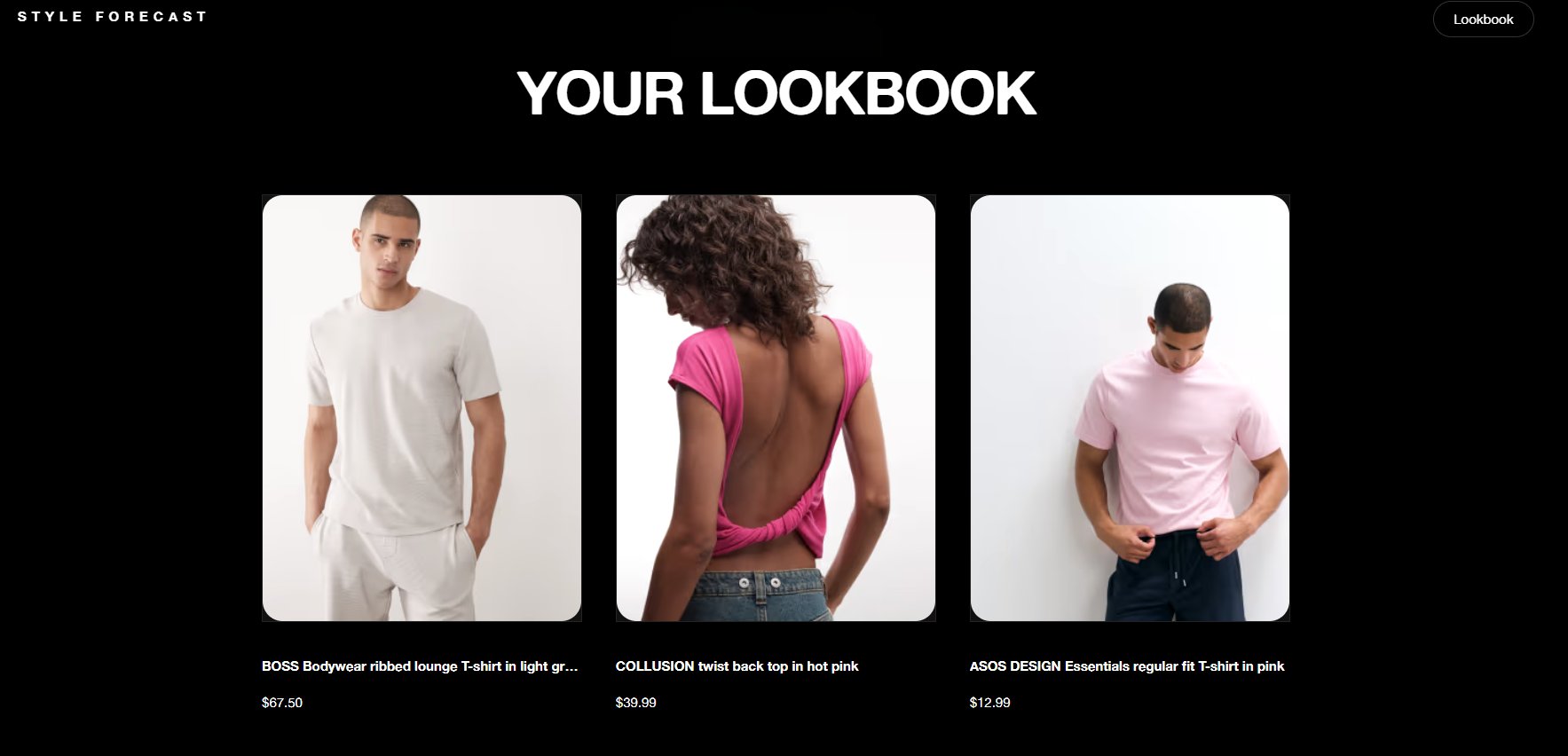
Users can save selected items into a personal lookbook to revisit later. This turns the platform from a one-time recommendation tool into a space for ongoing outfit planning.
The lookbook acts as a lightweight wardrobe memory, allowing users to track inspiration across different weather conditions and return to pieces they liked.
Built with API integration at its core.
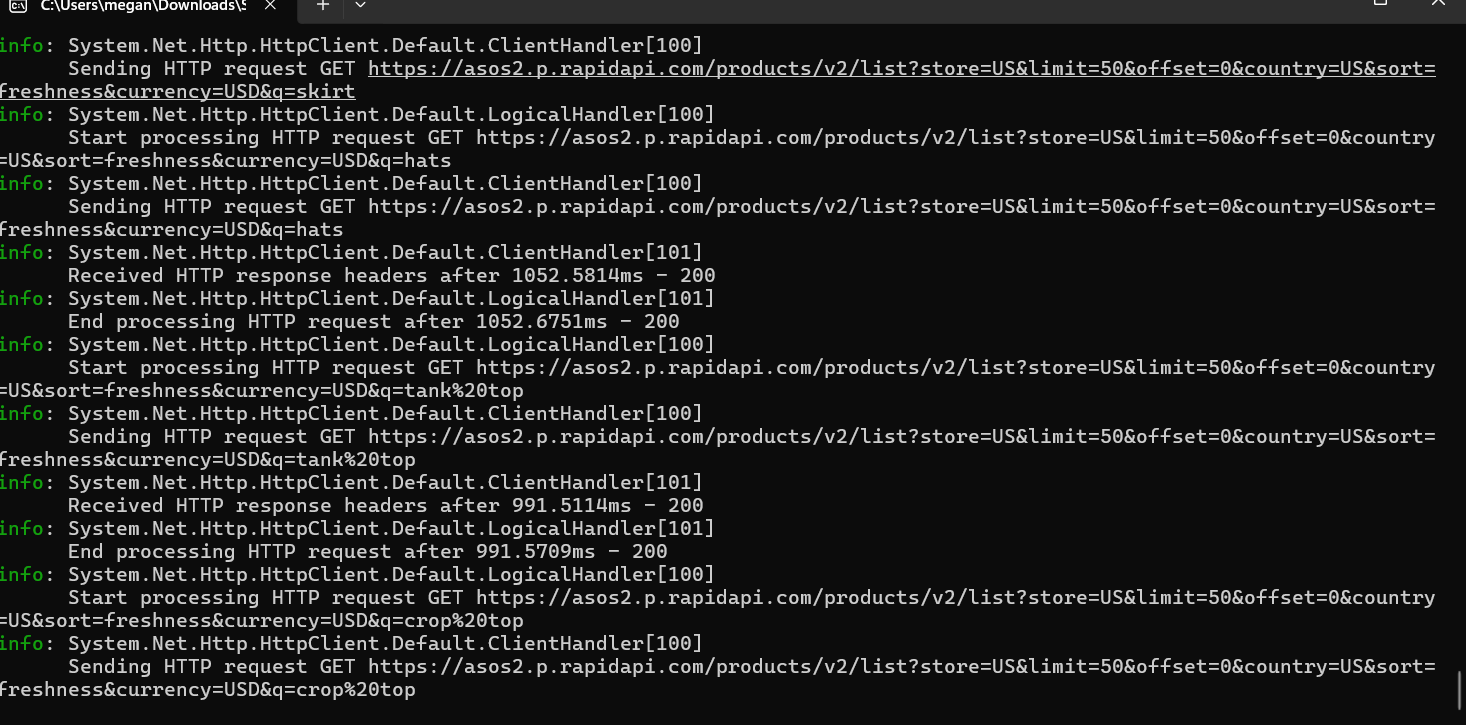
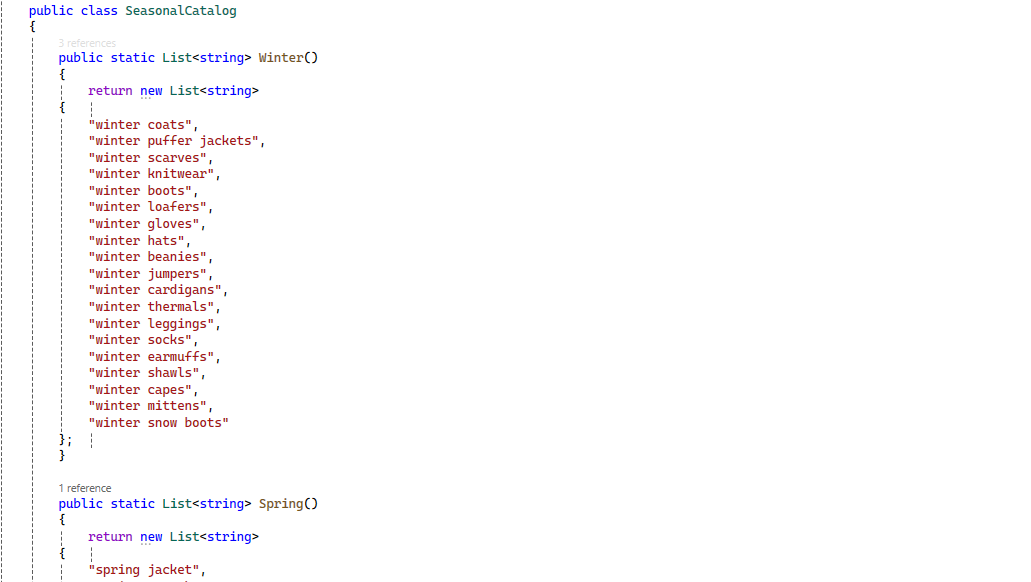
The application was developed using Blazor Server and ASP.NET Core. OpenWeather powers the live weather functionality while the ASOS API provides product recommendations based on forecast conditions.
Intentional simplification was part of the design process.
While building the application, I made several deliberate decisions to avoid overcomplicating the system. These choices were important in keeping the project focused, usable and stable within the time constraints.
I didn’t over-engineer the UI with heavy animations
Although I considered adding more advanced transitions and motion effects, I chose to keep the interface minimal. This ensured that the focus remained on the weather and outfit recommendations rather than visual distractions, and also helped maintain performance and responsiveness across devices.
I didn’t build full user authentication or accounts
Even though a login system could have supported saved preferences and personalised recommendations, I intentionally excluded it to prioritise the core experience of translating weather into fashion decisions. This kept the scope manageable and allowed me to focus on API integration and UI logic.
I didn’t implement overly complex filtering logic
I explored more advanced filtering systems early on, but found that they introduced unnecessary complexity for the scale of the project. Instead, I kept filtering straightforward and predictable to ensure stability when working with live API data.
Scope vs impact
These decisions were guided by a focus on impact rather than feature volume. I prioritised areas that directly improved usability and core functionality, while intentionally avoiding complexity that would not significantly enhance the user experience within the scope of the project.
WHAT I DEFERRED
- Authentication / user accounts
- Advanced animation systems
- Complex multi-layer filtering logic
- AI-driven outfit generation
WHY IT DIDN’T MATTER (FOR THIS PROJECT)
- Core value is accessible without login
- UI clarity was more important than motion design
- Simple filters improved reliability with live data
- Curated logic ensured consistency and control
Reflection
These decisions helped me treat the project as a focused product rather than a feature-heavy prototype. By reducing scope in the right places, I was able to strengthen the quality of the core experience and ensure the application remained stable, usable and coherent.
A complete weather-powered styling assistant.
The final platform enables users to discover weather-aware outfits, browse fashion recommendations and save favourite products to a personal lookbook.
The project successfully demonstrated API integration, responsive design and user-focused fashion discovery within a single web application. In the future I hope to develop on this project and expand it into something more accessible for people to use, perhaps an app in IOS or Android.
What this project demonstrates.
This project demonstrates my ability to design and build a full-stack web application that integrates external APIs, transforms structured data into a user-focused experience and maintains a clear design system across all components.
Real-time data translation
Turning live weather API responses into meaningful outfit decisions instead of raw numbers.
Component-based UI systems
Designing reusable, structured interfaces that stay consistent across multiple dynamic views.
System constraints handling
Working around API rate limits, inconsistent data formats, and input edge cases.
Product thinking under constraints
Balancing scope vs usability while keeping the core experience focused and stable.